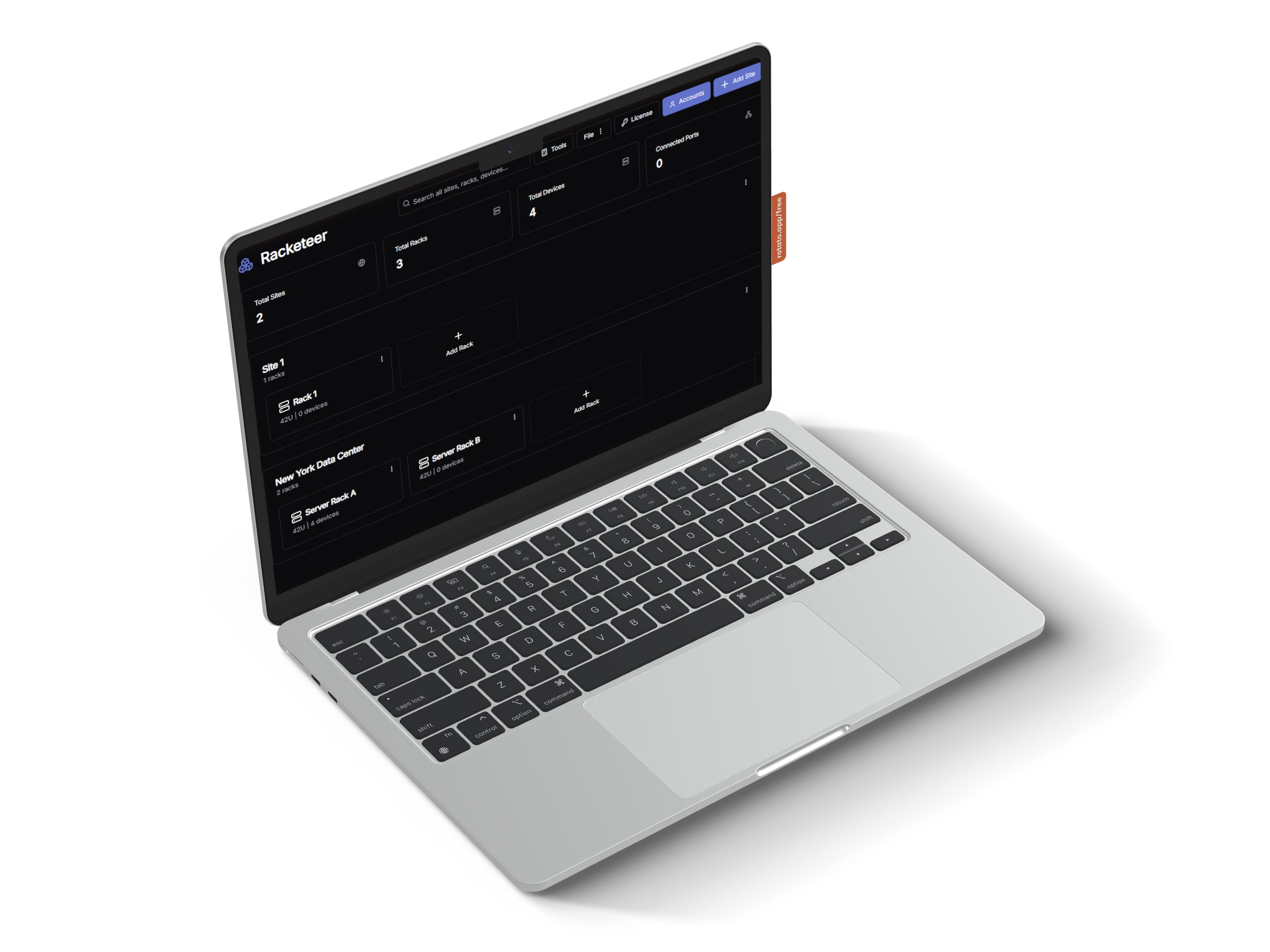

Racketeer dashboard — sites, racks, and devices
Racketeer RACKETEER.IO
v0.3.1 — Now Available

|

Local-first rack documentation for fire & security, IT, and AV integrators. Drag-and-drop rack builder, full port mapping, PDF reports — all running on your network with zero cloud dependency.

Windows · macOS · Linux
No cloud. No phone-home.
Auto-starts at boot
Air-Gap Compatible
Windows · macOS · Linux
Docker Service
PDF & CSV Export
1U–42U Rack Support
0U
Max Rack Height
0
Supported Platforms
0%
Offline Operation
0 Cloud
Dependencies
01 — Features

ENGINEERED
FOR RELIABILITY.

Every detail of your physical infrastructure, documented to the millimetre — without sending a byte off-site.

Millimetre Precision
Full support for 1U–42U, front and rear mounting, and zero-U assets. Place devices exactly as they live in the real rack, no guesswork.
Power & Load Mapping
PDU outlet tracking per device. Map breaker assignments and monitor capacity allocation across your whole rack — before anything overloads.
Privacy First
Air-gap compatible. No cloud required. Your infrastructure data stays on-premise, always. Zero telemetry, zero callbacks, zero exposure.
Port Mapping
Map network, power, video, and data connections between devices. Colour-coded by cable type. Patch panels, SFP, console, HDMI — all tracked.
Multi-Site Organisation
Group racks into sites and manage a full portfolio of client installations from one interface. Instant search across all devices and connections.
PDF & CSV Reports
One-click professional rack documentation. Export PDFs for client handover, as-built records, or compliance. Device lists to CSV for asset management.
Asset License Tracking
Track software, hardware, and subscription licenses per site. Expiry alerts on the dashboard surface renewals before they lapse — no spreadsheet needed.
Camera & CCTV Documentation
Document every camera on your NVR — IP address, MAC, VLAN, patch location, cable ID, and connection type. Bullet, dome, PTZ, thermal, fisheye and more. Full handover pack included.
PAVA System Documentation
Document public address and voice alarm systems. Track horn speakers, bi-directional units, fist mics, and yellow phones — complete with IP, patch location, beacon fitted status, and directory numbers.
IP Conflict Detection
Real-time clash detection across all devices, cameras, and PAVA units on every site. Dashboard alerts flag duplicate IP addresses before they cause problems on site.
Audit Log
Every change is recorded — who did what, when, and to which device. Filterable by action, entity type, site, and date. Export the full log to PDF for compliance and client records.
Custom Devices & Templates
Build your own device types and save rack layouts as reusable templates. Clone an entire rack — with or without network info stripped — for fast deployment across multiple sites.
Connections & Cable Report
Cross-site port connection report filtered by site, rack, cable type, or status. See every active, reserved, and disconnected port at a glance. Export to PDF or CSV for as-built records.
Drive Bay & Storage Documentation
Document drive bays slot-by-slot on NVRs and servers. Record capacity, brand, and hot spare status per drive. Includes a built-in RAID calculator to plan and verify storage configurations.
Import & Export
Back up or migrate your full infrastructure as a single JSON file. Import existing documentation or share rack configurations between installations — no data ever touches the cloud.
02 — Who It's For

BUILT FOR
INTEGRATORS.

Purpose-built for the trades that live inside comms cabinets and server rooms.

Fire & Security
EVERY PANEL.
EVERY PORT.
Document NVR racks, camera patch panels, alarm panels, and access control equipment. Generate handover documentation your clients actually trust.
IT Infrastructure
NETWORK
CLARITY.
Visualise server rooms and data centres. Map switch ports, SFP connections, KVM, and power distribution. Know what's plugged in before you touch it.
AV Integration
SIGNAL PATHS,
DOCUMENTED.
Rack amplifiers, processors, and distribution equipment. Map HDMI, SDI, audio, and control signal paths. Produce professional drawings for client sign-off.
03 — Getting Started

UP IN
MINUTES.

One installer. One license key. No Docker, no server setup, no accounts portal, no configuration hell.

01
Install
Run the Windows .exe installer. Racketeer installs as a background service and is ready immediately — no Docker, no configuration, no restarts required.
http://localhost:3000
02
Activate
Log in as admin, navigate to License, and paste your key. Fully offline verification — no internet connection needed. Done in 30 seconds.
Admin → License → Activate
03
Document
Create a site, add a rack, drag in devices, map the ports. Export a professional PDF rack drawing the moment you're ready to hand over.
Site → Rack → Export PDF
04 — Pricing

SIMPLE, HONEST
PRICING.

Start free for 14 days — no credit card required. Subscribe and cancel any time. No per-rack fees, no hidden charges, no internet required to run.

Annual
Monthly SAVE 25%
STARTER
Homelab & small office
£5
/mo
billed annually · £60/yr
  • 2 user accounts
  • 1 site · up to 5 racks
  • All device types
  • Capacity planning view
  • Cable register
  • Client info & PDF cover page
  • IP conflict detection
  • PDF & CSV export
  • Community support
Start Free Trial
TEAM
MSPs & multi-site teams
£65
/mo
billed annually · £780/yr
  • 25 user accounts
  • Unlimited sites & racks
  • All Professional features
  • Priority email support (24h)
  • Onboarding video call
Start Free Trial
ENTERPRISE
Large deployments & government
CUSTOM
volume pricing · annual contract
  • Unlimited users
  • Unlimited sites & racks
  • All Team features
  • SLA & dedicated support
  • Reseller & MSP licensing
  • Air-gap & offline deployment
Contact Sales
How we compare
Starter
£60/yr
Professional
£264/yr
Team
£780/yr
D-Tools Cloud
£850+/yr
IT Glue
£275+/yr/user
Sunbird
£185+/rack/yr
Offline / air-gap
Visual rack builder
Audit log
No per-rack / per-device fees Per rack
Simple self-hosted install Cloud only Cloud only Cloud only
Free trial 14 days 14 days Demo only 14 days Demo only

Licenses are offline key strings — no internet needed to activate. Data never leaves your network. Read the FAQ →

05 — FAQ

COMMON
QUESTIONS.

Does Racketeer need internet access?
No. After installation it runs completely offline. License activation is done by pasting a key string — no connection needed. Your data never leaves the network.
Can I pay monthly instead of annually?
Yes — use the toggle on the pricing section to switch between annual and monthly billing. Annual billing saves you roughly 25% and is the default. Both options include the same features and the same 14-day free trial.
Do I need to know Docker to use this?
No — and on Windows you don't need Docker at all. The Windows installer is a standard .exe that installs Racketeer as a native background service. Docker is only used for macOS and Linux deployments.
What happens when my license expires?
Your data is safe. Racketeer switches to read-only mode — all racks remain visible and exportable, but saves are blocked until you renew. No data is ever deleted.
Can the whole team use one installation?
Yes. Install on any server on your network and share the URL (e.g. 192.168.1.10:3000). Seats control how many user accounts can be created — not connections.
Is there a free trial?
Yes — the public beta is fully functional with a pre-activated 999-seat license valid until March 2027. Download it, explore everything, then buy when you're confident.
06 — Download

TRY THE
BETA FREE.

Fully functional. Pre-activated 999-seat license until March 2027. No credit card, no sign-up required.

Windows 10+ · macOS 12+ (Docker) · Ubuntu 20.04+ (Docker)

Quick Start — Windows
# 1. Run the installer
Racketeer-Setup-x.x.x.exe

# Racketeer installs as a background
# service — no Docker required.

# 2. Open in your browser
http://localhost:3000

# 3. Default login
Username:  admin
PIN:       0000
07 — Order

GET YOUR
LICENSE.

Fill in the form and we'll reply within one business day with an invoice and your license key.

1
Submit the form
Tell us the tier, seat count, and any requirements
2
Receive an invoice
Payment link sent — card, bank transfer, or PayPal
3
Get your key
License key by email. Activate in under 60 seconds
Typically reply within one business day. Urgent? Email hello@racketeer.io directly.
✓ Request received — we'll be in touch within one business day.

STOP DRAWING
RACKS IN VISIO.

Download the beta and see how fast rack documentation can actually be.